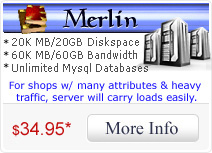
All Camelot-Hosting servers have a shared ssl installed on them, except for the Merlin server. To access your website using the shared certificate you will need to know the name of your server.
The quickest way to get this information is to open your Cpanel and look for Server Name in the left column.
Based on your server name the following list will show the shared ssl link for your site:
Users of Zen Cart who are going to use the shared ssl will want to use the above shared ssl links in their config files in the following locations
For includes/config.php edit this section:
// Define the webserver and path parameters
// HTTP_SERVER is your Main webserver: eg-http://www.yourdomain.com
// HTTPS_SERVER is your Secure webserver: eg-https://www.yourdomain.com
define('HTTP_SERVER', 'http://www.yourdomain.com');
define('HTTPS_SERVER', 'https://server2.camelot-hosting.com/~cpanelusername'); insert the correct secure ssl link from the above list
For admin/includes/config.php edit this section:
* URL's for your site will be built via:
* HTTP_SERVER plus DIR_WS_ADMIN or
* HTTPS_SERVER plus DIR_WS_HTTPS_ADMIN or
* HTTP_SERVER plus DIR_WS_CATALOG or
* HTTPS_SERVER plus DIR_WS_HTTPS_CATALOG
* ...depending on your system configuration settings
*
* If you desire your *entire* admin to be SSL-protected, make sure you use a "https:" URL for all 4 of the following:
*/
define('HTTP_SERVER', 'http://www.yourdomain.com');
define('HTTPS_SERVER', 'https://server2.camelot-hosting.com/~cpanelusername'); insert the correct secure ssl link from the above list
define('HTTP_CATALOG_SERVER', 'www.yourdomain.com');
define('HTTPS_CATALOG_SERVER', 'https://server2.camelot-hosting.com/~cpanelusername'); insert the correct secure ssl link from the above list
If you have any trouble finding your servers name or getting the shared ssl to work please contact us and we would be happy to assist you.















 Home
Home Products & Services
 Support
  Knowledgebase
 Domains
 Register a Domain
 Web Tools